LogMark: your vault as an operating system
One sovereign markdown substrate, and the four products that run on it today
LogMark keeps everything you write as plain markdown on your own disk, and makes that vault readable and writable by the AI agents you already work with. One hotkey to capture. No database, no proprietary format, no account needed to start.
It has existed for the better part of a year without being announced. I have used it every day of that time, which is the only product validation I trusted at the outset: if I did not reach for it daily, nobody else was going to.
This post is about the idea underneath it, which is larger than a notes app, and about the four parts of it that actually work today. I have tried to keep those two things clearly separated, because conflating them is how software gets oversold.
Storage was never the hard part
Most people who work in software already have somewhere to put a thought. The trouble is that they have eleven somewheres. A decision lands in a Slack thread, its rationale in a commit message, the thing that prompted it in a note app, and the follow-up in a task tracker nobody opens. Each tool is fine. Collectively they guarantee that no single place knows what you are doing.
That was already annoying. It became expensive when AI agents arrived in the daily loop. An agent that cannot see your notes has to be told everything, every session, from scratch. So you paste context, it works for twenty minutes, the window closes, and the next session starts from nothing again.
The fix I wanted was unglamorous: one vault, in a format nothing can lock away, that agents can read and write as a first-class client rather than through an export. That is the whole premise.
The vault is the filesystem
Everything follows from one decision: the vault is plain markdown files on your disk, and nothing else is permitted to be the source of truth. Not a database that exports markdown. Not a sync service with a local cache. Files, in a format Obsidian and every text editor already read, with wikilinks and tags and frontmatter. Even the settings live in the vault as markdown.
That sounds like an aesthetic preference, and it took me a while to see how much weight it carries: it is what makes everything above it swappable. If the vault is the source of truth, the desktop app is merely one client. The CLI is another. An agent over MCP is another. None of them owns the data, so none of them can hold it hostage, mine included.
The practical test is uninstallation. Remove LogMark tomorrow and you keep a folder of markdown organised the way you organised it, and every tool that reads markdown still works. There is no export step, because there was never an import step.
A notes app is the wrong frame
Once the vault is a filesystem, the rest of the system starts to resemble something familiar. I did not set out to build an operating system for knowledge work. I noticed, roughly a year in, that I had been building one without admitting it, and therefore building it badly in places.
| OS concept | In LogMark | Status |
|---|---|---|
| Filesystem | The markdown vault on your disk | Shipped. This is the moat. |
| Kernel | Inference router, vault slice service, privacy boundary | Shipped |
| Shell | The native viewer and vault chat | Shipped |
| Remote processes | External agents over MCP and lifecycle hooks | Shipped |
| Syscalls | The notation verb vocabulary | Partially wired |
| Scheduler | Protocol runtime and the Observatory feed | Partial |
| Processes | Vault programs: protocols, views, flows | The generic runtime is the gap |
| Package manager | Shareable vault program packs | Format exists, not built |
The realisation that changed how I build it sits in two rows of that table. An agent running inside Claude Code and a program running inside the vault are the same kind of thing: processes over one kernel, reading and writing one filesystem. One happens to execute elsewhere and one in-app. Once that is visible, the question of whether something should be a feature or an integration mostly dissolves, and the answer is usually that it should be a process with the right permissions.
I am showing the unfinished rows deliberately. The italicised statuses are the honest state of a system built by one person, and a partial scheduler is genuinely partial. The frame is useful precisely because it makes the gaps legible instead of letting a feature list hide them.
The four parts that work
Plenty of the above is unbuilt. Four pieces are solid enough that I depend on them daily and would put them in front of someone else without a caveat.
The desktop app
C# and .NET 8, WPF, Windows
One global hotkey from anywhere in Windows, and the capture window closes itself the moment you are done. A native viewer for reading the vault, semantic search that is always on and runs entirely on your machine, and a feed that surfaces what the vault has noticed.
The MCP server
32 tools, 23 of them open
Agents read and write the same vault: entries, routes, tasks, decisions, protocols. Wikilinks come back as resolved objects, so an agent navigates your vault the way the viewer does instead of guessing at file paths. Private routes return masked tokens rather than your content, and writes to them are refused.
The CLI
Capture, and agent wiring
Capture from a terminal without leaving it. Then lm connect wires LogMark into a coding agent you already run: lifecycle hooks, MCP registration, and a nine-skill pack, in one command. Claude Code, Codex, Gemini CLI, Cursor, and Copilot CLI. Preview it first with a dry run that prints the exact plan and writes nothing.
The web platform
Next.js and Hono on Cloudflare
logmark.dev handles discovery, downloads, accounts, and licensing, on Workers with D1 and R2. logmark.ink publishes chosen routes from your vault as indexed pages, so a body of notes can become something readable without leaving the vault it grew in.
Browse curated vaults on logmark.ink →The through line is that the vault is the product. These four are clients, and they happen to be the ones I finished first.
Never make the user wait
There is an axiom under all of this that I only wrote down long after it had started deciding things: knowledge work capability is bounded by capture fidelity and capture friction, and everything else is a transformation of already-captured material. If the thought decays before it reaches the disk, nothing downstream can recover it.
Which produces the constraint that shaped more of this codebase than any other: capture has a latency budget of 100ms, and intelligence is not allowed to spend it. If the tool ever makes you wait to write something down, you stop writing things down, and every clever feature downstream is worth nothing.
The resolution is a tiered architecture with one organising rule: the fast path never waits for the smart path. Four tiers, each adding capability at the cost of latency, each with a defined failure mode that falls through to the next rather than surfacing an error.
| Tier | Latency | On failure | Technique |
|---|---|---|---|
| Tier 0 Deterministic | under 1ms | Falls through to Tier 1 | Compiled regex, Microsoft.Recognizers.Text, dictionary lookup |
| Tier 1 Semantic similarity | 10 to 50ms | Falls through to Tier 2, or gives up | bge-micro-v2 embeddings, cosine similarity, k-NN over a LiteDB vector index |
| Tier 2 Local LLM | 300ms to 3s | Falls through to Tier 3, or gives up | Your own Ollama or LM Studio, retrieval-augmented |
| Tier 3 Frontier API | 1 to 5s | Degrades to a lower tier, or skips the work | Cloud model with retrieved context, fire and forget, results cached |
Tier 0 is the one that matters most and gets the least credit. Compiled regex and a date recogniser, no model and no dependencies, resolving notation and phrases like "next tuesday" in under a millisecond with perfect precision on the cases it covers. It ships with the core and it is why a base install is useful before you have configured anything at all.
Tier 1 is where it gets interesting, and it is entirely on-device. A 23MB embedding model, cosine similarity, and k-NN search over a local vector index. That buys typo tolerance, route inference from meaning rather than exact spelling, and connections to past entries you had forgotten writing. Semantic search with no server, no API key, and no data leaving the machine.
Tiers 2 and 3 are the language models, and both are optional by design. Tier 2 talks to an Ollama or LM Studio instance you already run. Tier 3 calls a cloud model, and you can point it at your own API key. Neither is ever in the capture path. They run on background threads and their results arrive when they arrive.
The engineering point is the fallback column. Every tier degrades into the one below it, so missing infrastructure costs you capability and nothing else. No embedding model, no Ollama, no network, and the product still works, just less cleverly. That is what separates a local-first tool from a cloud tool with an offline mode.
What it took
391,021 lines of C# and 103,954 of TypeScript, of which roughly 318,000 is production code and the rest is the test suite. A WPF desktop app, a Cloudflare backend on Workers with D1 and R2, a CLI, an MCP server, three Telegram bots still in beta, and an Expo mobile app that is built and not yet released. One person.
I want to be precise about the role AI played, because the honest version is more useful than the marketing one. It was transformative for breadth. Standing up a Cloudflare Worker, or a Telegram relay in a language I use less often, or an Expo app, went from a multi-week detour to a couple of focused days. Work that I would have cut from the plan on time grounds became affordable, and that is the single biggest reason the system has as many working parts as it does.
It was much less help with the things that actually determine whether the product is good. The latency budget, the decision that the vault is the only source of truth, what the notation should look like, which of the four tiers a given feature belongs in, the realisation that agents and vault programs are the same kind of process: none of those were generated. They were argued out, mostly slowly, and several of them were wrong the first time.
The 7,960 tests are the other half of that story. Working at this speed across this many moving parts is only safe if regressions are caught mechanically. The test suite is what makes the pace survivable.
Where it is now
Version 0.21, in daily personal use, and only now opening to anyone else. A real codebase with almost no users, and that order of operations was deliberate. Daily use is my test for whether something is finished, and I would rather ship software I find genuinely useful and pleasant to live with than move fast and break things in front of other people. The cost of that shows up in the user count, and I would take the same trade again.
Solid: the desktop app, the MCP server, the CLI, and the web platform. I rely on all four every day, which is a stronger claim than a feature list.
Not solid, stated plainly. The Telegram bots work but are in beta. The mobile app is built and unpublished, so unless you are me you cannot install it, and it is not yet wired back to the desktop. Treat both as roadmap rather than product, and discount them accordingly when judging anything above.
Further out is the part I find most interesting and have least to show for. The vault captures well and refines only in prototype. Two arms would close the loop: pulling in outside material aimed at the gaps your own notes expose, and distilling all of it into a living, interlinked concept layer that matures upward from raw entry to published page. Both exist as working prototypes rather than shipped features. That is the next real body of work, and it is the reason the operating system framing matters more to me than any single client does.
The desktop app is free and works offline with no account. If you keep notes on Windows and you have started wishing your agents could read them, it is worth twenty minutes of your time.
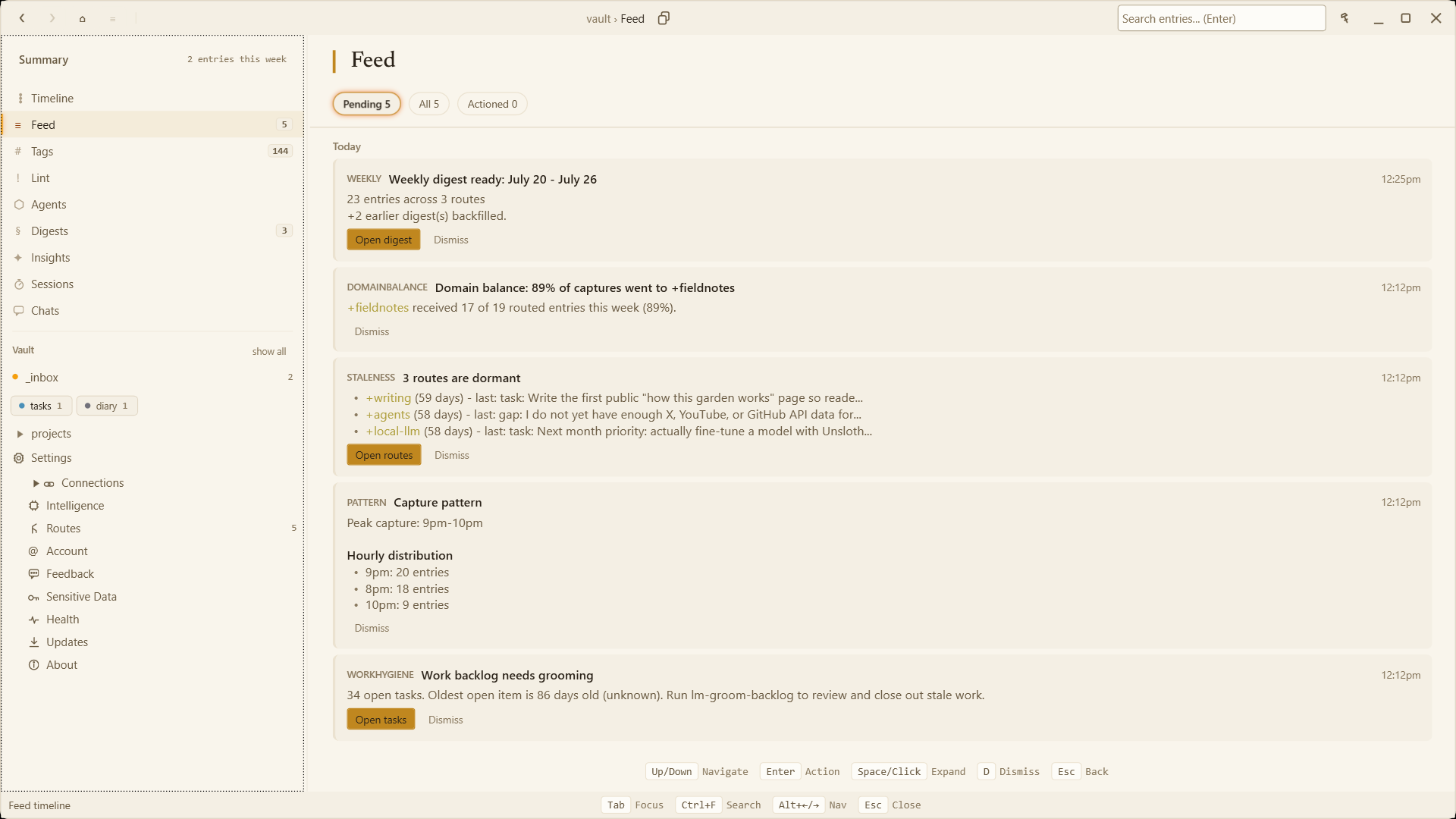
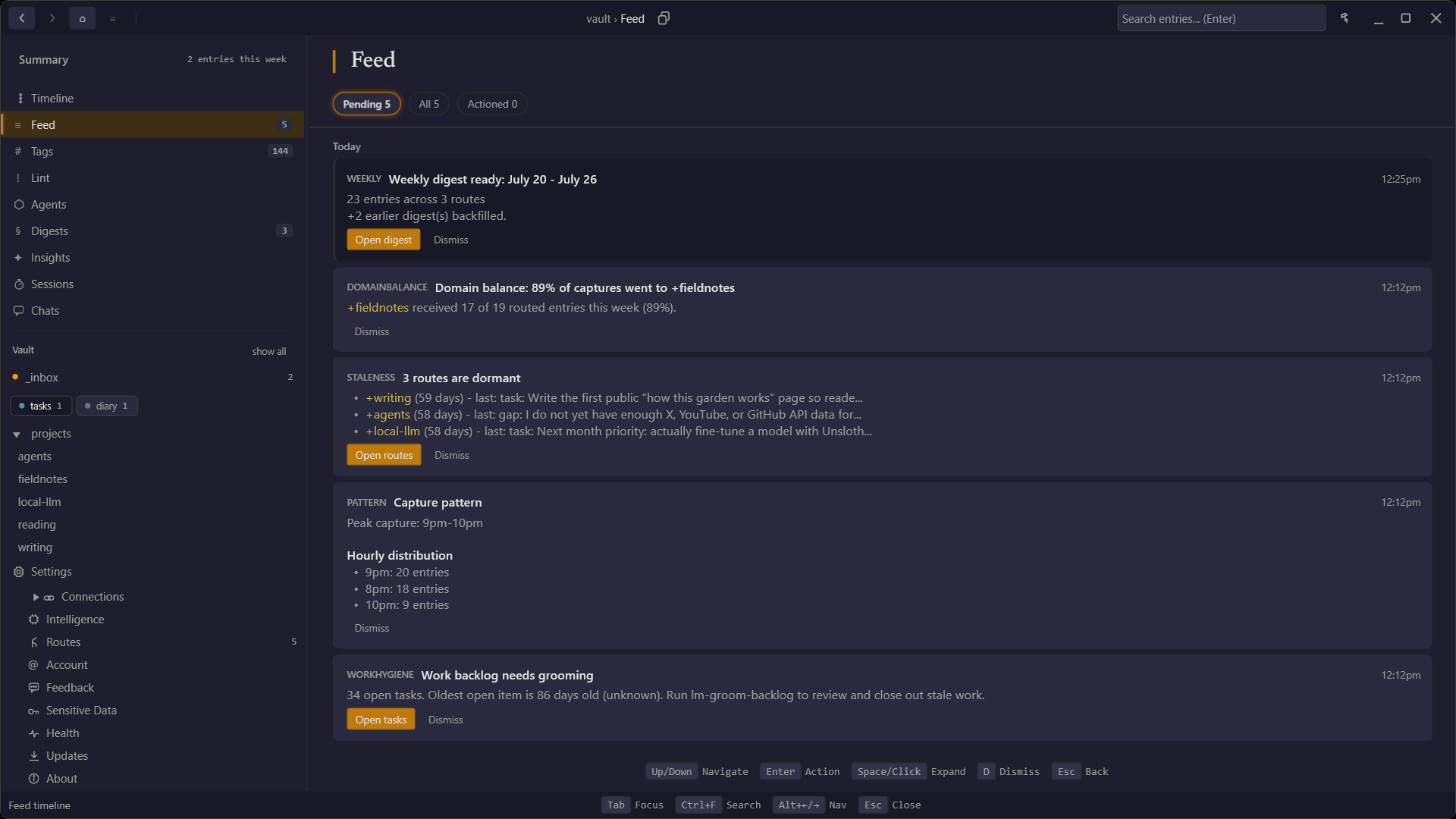
The Feed in the Windows desktop app. The vault reports on itself: digests, routing balance, dormant routes, and capture patterns.
Take a look
The app is free on Windows and works offline with no account. Ink shows what a vault looks like once it is published.